Settings
The Hopp desktop app provides a Settings panel to customize your call, camera, audio, and miscellaneous preferences.
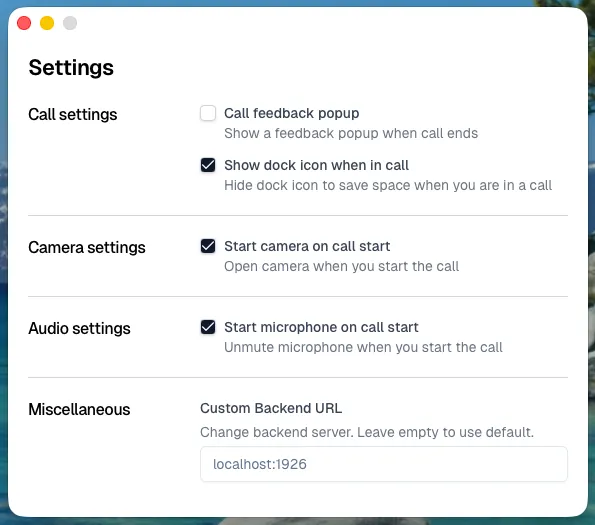
Call feedback popup — Show a feedback popup when a call ends. Default: on.
Show dock icon when in call (show_dock_icon_in_call) — Keep the dock icon visible during a call. Default: on.
Camera
Section titled “Camera”Start camera on call start — Automatically open the camera when a call starts. Default: off.
Start microphone on call start (start_mic_on_call) — Automatically unmute the microphone when a call starts. Default: off.
Miscellaneous
Section titled “Miscellaneous”Custom Backend URL — Override the default backend server. Leave empty to use the default Hopp backend. This is useful for self-hosted Hopp instances.